
Reading time: 12 minutes
To report a ChatGPT error, click the thumbs down under the answer and describe the problem. The report goes to OpenAI, which may use it to train its models. However, in the pages we read, it doesn’t promise to change the answer. So, to correct a ChatGPT error about your company, change the pages it relies on.
In short
- When you report a ChatGPT error with the thumbs down, OpenAI gets your feedback. It may use the chat for training, but, in the pages we read, it doesn’t promise to fix the answer.
- Gemini, AI Overviews, Copilot and Perplexity also take feedback. However, in our reading of their official pages, none gives a time frame for the answer to change.
- OpenAI may filter reported domains, but we saw no factual error among the reasons on its report form.
- To correct a ChatGPT error, change the sources: your site, your Google Business Profile and third-party pages.
How do you report a ChatGPT error?
To report a ChatGPT error, click the thumbs down under the message and explain what’s wrong. This works on the website and in the mobile apps. However, some content may break the Terms of Use or the law. For that, OpenAI says to report the answer as a safety or legal concern.
Then, ChatGPT asks you to select an issue. For a wrong fact, pick the closest option. For a safety or legal report, the OpenAI Help Center describes this path:
- Tap the thumbs down under the ChatGPT message.
- Tap “Select an issue”.
- Choose “Safety or Legal concern”.
- Follow the prompts to submit.
The same page points to a report form for chats, shared links, responses and GPTs. Also, if a GPT uses your company’s brand, click the GPT’s name and choose Report GPT. For trademark infringement, there’s a separate form.
When you report the error in ChatGPT, be specific. Say which fact is wrong, what the correct one is and where it appears. For example: the Basic plan costs R$ 99 per month, according to the pricing page on your site. Finally, save a screenshot, the question and the date, because this record is your baseline to measure the fix.
How do you report errors in Gemini, AI Overviews, Copilot and Perplexity?
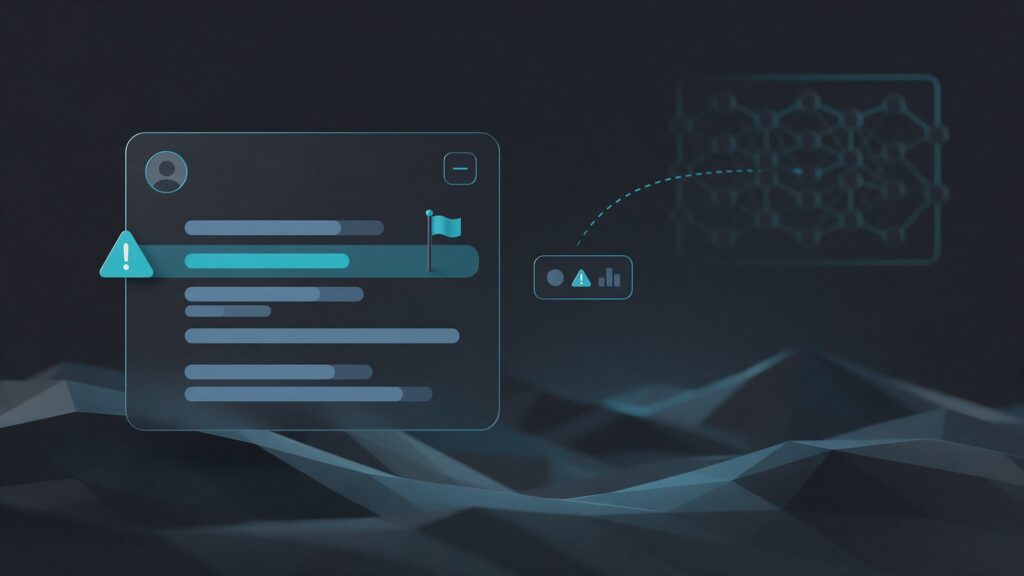
The other assistants also have a button under the answer. In Gemini, the button says Bad response. In AI Mode and AI Overviews, it’s the thumbs down, and AI Overviews then offers Report a problem. Meanwhile, Copilot uses a flag, and Perplexity uses the Report option.
| Assistant | Where to report | What happens next |
|---|---|---|
| ChatGPT | Thumbs down | May go into model training |
| Gemini | Bad response, with a reason | Trained teams review it and keep it up to 3 years |
| AI Overviews | Thumbs down and Report a problem | Helps improve the feature |
| AI Mode | Thumbs down, with a category | Helps improve the feature |
| Copilot | Flag under the answer | The page doesn’t say |
| Perplexity | Three dots and Report | The page doesn’t say |
In Gemini Apps Help, Google suggests picking a reason and lets you add more details. For legal issues, there’s a Report legal issue option under More. According to the Gemini Apps Privacy Hub, specially trained teams review the feedback.
On the AI Overviews help page, Google recommends adding details in the text field. In addition, the feedback includes your most recent search and its results.
Microsoft points to the flag icon under each response or the give feedback button in settings. Likewise, Perplexity’s help center says to use Report, in the three-dot menu, for incorrect responses.
In our reading, these pages set no time frame for a new answer and promise no reply to the reporter.
Does OpenAI correct the ChatGPT error after you report it?
Not directly. When you report the error in ChatGPT, OpenAI doesn’t guarantee it will correct the answer. After all, in the pages we read, it doesn’t describe a channel for companies to correct facts about themselves. Feedback may go into training future models, and OpenAI may filter reported domains. Even so, we found no time frame for either path.
According to the OpenAI Help Center, a thumbs up or thumbs down sends feedback. On individual plans, OpenAI may use the entire chat to train its models, even if you turned training off. On ChatGPT Business, Enterprise and Edu, however, feedback doesn’t permit that use.
The reporting page says OpenAI’s Model Quality team may review reported domains. Then, it may apply filters so ChatGPT doesn’t rely on unreliable sources in future answers. However, the report form lists reasons such as fraud, harassment, privacy and intellectual property. We saw no factual error on that list.
Feedback alone doesn’t fix the problem, because it doesn’t touch the source of the error. According to OpenAI, ChatGPT predicts the most likely words, which aren’t always the most accurate. Without search, it uses what it learned in training. With search, it relies on web pages, which may be wrong. So, to correct a ChatGPT error, you need to change those sources. Also, the causes of each type of error are in the guide on why ChatGPT makes so many mistakes.
What if the ChatGPT error involves a person?
For personal data, such as a business partner named by mistake, there’s a formal request. According to OpenAI, anyone, with or without an account, can ask to keep wrong data about them out of answers. Usually, the person concerned makes the request, but a legally authorized representative can also do it. The request goes through the Privacy Portal, under the option Remove personal data from ChatGPT responses. For a successful request, OpenAI recommends including:
- examples, with links to the chats and to the pages cited in them;
- the type of data, such as a name, email or phone number;
- why the data is wrong, with evidence;
- an ID document, which OpenAI will require.
OpenAI reviews each case and may decline the request. In addition, it judges accuracy based on what the request includes, without investigating disputed facts. Even if approved, the removal applies only to ChatGPT answers, not to the source pages or search engines. For legal questions, talk to your company’s legal team.
How do you find the page behind the ChatGPT error?
Before you report the error in ChatGPT, ask again with search on and open the sources. In ChatGPT and Gemini, they’re under the Sources button, while Copilot and AI Overviews show them as links. If no source appears, the fact tends to come from training.
In ChatGPT, turn on search with View all tools and Search, or type / in the message composer. According to the OpenAI Help Center, search results and citations can be incomplete, outdated or incorrect. So, open each source and check whether it supports the answer and what its date is. Moreover, the difference between answers from training and from search is in the guide on how ChatGPT works.
In Gemini, a missing Sources button means it gave no links for that information. In that case, search for the wrong fact in quotes on Google and Bing, starting with the places in the table.
| Error | Where to look first |
|---|---|
| Old price or plan | Old site pages, PDFs and marketplaces |
| Address or hours | Business Profile, directories and social media |
| Discontinued product | Product page and partner stores |
| Partner or founding date | Old news, About us and company registries |
| Another company’s data | Profiles of the company with a similar name |
Record the date, the assistant, the question, the answer and the source of each error. So, the record becomes your baseline for the fix.
What should you fix on your site, Business Profile and third-party pages?
To correct a ChatGPT error, start with what your company controls: your site and your Google Business Profile. Next, ask whoever published the wrong fact to correct it. Finally, notify search engines. That’s because AI with search tends to see the change only after the search engine reads the page again.
- Site. Write the correct fact on the main page for that topic, with the review date. Then, fix or redirect pages and PDFs with the old version. If you discontinued a product, say so on its page.
- Google Business Profile. The owner edits the verified profile, and Google reviews the changes before they go live. In some regions and categories, the Collected info area shows what Google gathered about the business, with the source and date.
- Third-party sites. Send the site owner the correct fact and a link to your official page. Reclame Aqui (a Brazilian complaint site), Reddit and Wikipedia have their own rules, summed up in the guide to the sources ChatGPT cites most.
- Search engines. Request a recrawl in Search Console, which takes a few days to a few weeks, according to Google. On Bing, use IndexNow, as the guide on how to show up in ChatGPT explains. Likewise, see how to index your site on Bing.
If a third-party page drops the wrong fact but Google shows the old version, use the Refresh Outdated Content tool. A ChatGPT error report doesn’t change Google’s results, so see how to remove outdated content from Google. For businesses with an address, see how Gemini and Google Maps use Business Profile in the guide to GEO for local business.
How do you stop AI from mixing up your company with a similarly named one?
Give AI the facts that tell the two companies apart: legal name, CNPJ (Brazil’s company tax ID), city and what you do. Also, repeat them the same way everywhere. Then, find the sources that mix up the brands and ask for a fix. The sources cited in the answer help you see where the mix-up started.
Searchable sells a tool to correct facts about brands. It sorts errors into three types: outdated data, confusion with another brand and fabrication. In its data, 1,704 brands that use the platform marked 9.2% of 32,556 facts AIs stated about them as wrong.
- Test with and without context. Ask about your company by name, and then by name, city and CNPJ. If the error disappears with context, that’s a sign AI is mixing up the two companies.
- Write what sets you apart. On your home page and About us page, state your legal name, CNPJ, city and what you do.
- Use Organization markup. According to Google, it can help Google tell your company apart from others in search results. The taxID field takes the CNPJ.
- Align your profiles. Use the same data, such as name, category and address, everywhere, as the guide on why AI doesn’t cite your brand recommends.
- Fix mixed-up profiles. If a Google Maps listing shows the other company’s data, suggest an edit or report the fake content.
- Ask sources to fix it. To correct a ChatGPT error that mixes up brands, look for news stories, directories and reviews with the same mix-up.
We found no OpenAI documentation on how ChatGPT uses this markup. So, write these facts in the page text, not only in the code.
How do you know the fix worked?
Compare the error rate before and after you report the error in ChatGPT and correct the sources. Run the same questions several times, in new chats, and count how many answers bring the wrong fact back. After all, a single test misleads, because the answer changes with each run.
Use the record you made before reporting as your baseline. For each corrected fact, write 5 to 10 questions the way a customer would ask. For example: “does the store still sell product X?”. Then, run each one with and without search, and note the result and the source. Consider the error fixed when it stays gone for a few weeks in a row.
Time frames depend on where the error came from. If the fact came from a page, the answer may change after the search engine reads the corrected version. If it came from training, however, it may last longer. According to OpenAI, models don’t know what happened after their cutoff date unless they use tools, such as search.
For the full protocol, with runs and margin of error, see how to measure brand mentions and citations in AI.
Frequently asked questions
We read the official pages from OpenAI, Google, Microsoft and Perplexity. In them, nothing suggests that more reports change the answer or the timing. OpenAI says it may use feedback in training and filter reported domains. So, even if you report the ChatGPT error many times, you still need to correct the sources.
It depends on the plan. On individual plans, OpenAI says it may use the chat linked to the feedback to train models, even with training turned off. On ChatGPT Business, Enterprise and Edu, however, feedback doesn’t permit that use. So, on an individual plan, recreate the error in a chat without sensitive data before you report it in ChatGPT.
We saw no sign of that in the pages we read. Each company gets feedback on its own product. Feedback on Gemini and AI Overviews goes to Google, and feedback on ChatGPT goes to OpenAI. So, to correct ChatGPT and other AIs, fix the source, because one wrong page can feed several of them.
Main sources
- OpenAI, Reporting Content in ChatGPT and OpenAI Platforms (2026).
- OpenAI, How your data is used to improve model performance (2026).
- OpenAI, Right to be forgotten and personal data removal from ChatGPT (2026).
- Google, Send feedback or report a problem with Gemini Apps (2026).
- Google, AI Overviews in Google Search, including how to give feedback (2026).
- Microsoft, Copilot frequently asked questions (2026).
- Perplexity, Need support? (2026).
- Searchable, The AI brand misinformation report (2026).


