
Reading time: 10 minutes
To monitor multiple clients in AI at once, an agency uses one process for all of them: a frozen prompt list per client, weekly collection, a master sheet, rule-based alerts and a fixed monthly report. This guide shows how to monitor 20 clients with that process, from manual collection to tools.
In short
- Monitoring 20 clients in AI takes one process, not 20 routines. It has five parts: prompt list, collection, master sheet, alerts and report.
- With the minimum protocol, the portfolio adds up to 1,000 prompts and 20,000 answers a month. So manual collection stops fitting.
- Weekly collection is enough for the protocol. Metric alerts, however, should look at the month, because one week has too few answers.
- The scale limits are credits, prompts and team attention. Also, clients cannot be compared with each other.
How do you monitor 20 clients in AI without losing control?
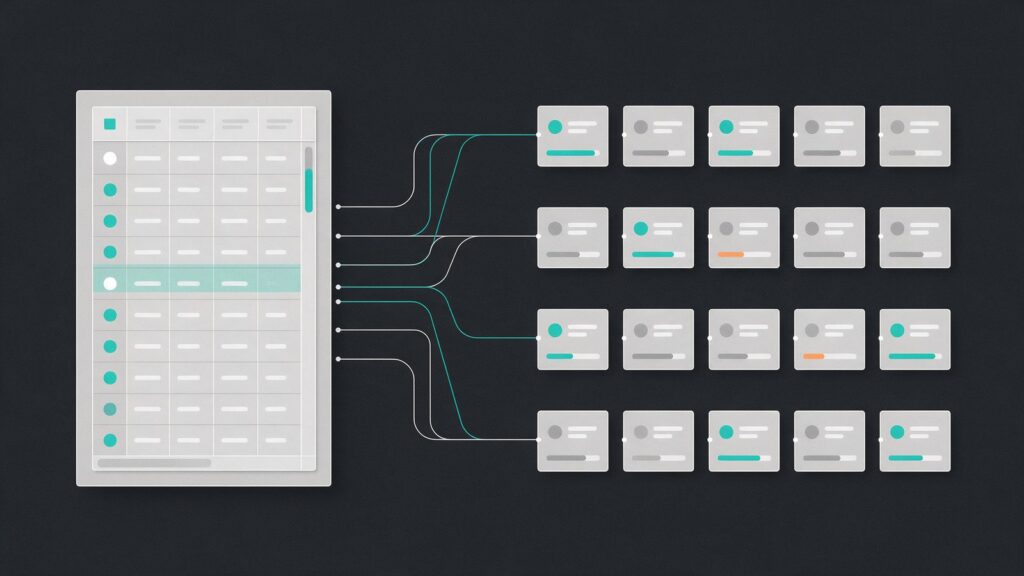
An agency can monitor 20 clients in AI when it fixes what cannot change between them: list, engines, country and rhythm. Each client has its own prompts, but all follow the same routine. So any analyst can open a client and know where the data, the alert and the report are.
The minimum protocol in the measurement guide uses 50 prompts, 5 runs per engine and 4 engines. So the protocol gives about 1,000 answers per client per month. With 20 clients, our math gives 1,000 prompts and 20,000 answers a month. Therefore, the design of the process matters more than the speed of collection.
| Step | What stays fixed | Rhythm |
|---|---|---|
| Prompt list | 50 per client, frozen | Quarterly |
| Collection | Same engines, country and language | Weekly |
| Master sheet | One row per answer | At each collection |
| Alerts | One rule per type of problem | At each collection |
| Report | Fixed template, the same for all | Monthly |
Next, the following sections detail each step in the table.
How do you build the prompt list to monitor 20 clients in AI?
Each client gets its own list of 50 prompts, written in the four question types: category, problem, comparison and brand. The 20 base prompts work as a template, but the fields change per client. Without that swap, the list measures the industry, not the brand.
The template with 50 prompts by type and industry has ready examples. To run 20 lists, you then only need a naming standard. By our own criteria, use the client code plus the prompt code, such as C07-P12. That way, the sheet row identifies both without a lookup.
Three rules prevent a mess with 20 lists:
- Freeze the list for a quarter: change prompts only at the review, and give each new prompt a new code.
- Give each list an owner: one person answers for the changes and for the date of the last freeze.
- Keep the source list: record which base template each list came from, so you can audit it later.
Also, each client’s list starts from their real questions, taken from the sales team, support and Search Console. Copying the list of another client in the same industry saves time, but it erases the city, the audience and the competitors.
Which cadence works to monitor 20 clients in AI?
For the minimum protocol, weekly collection works. Four or five collections a month add up to 4 to 5 runs per prompt and per engine, close to the 5 of the protocol. By our own criteria, the report goes out once a month and the list is reviewed every quarter. Daily collection is only needed if the tool imposes it.
The tools differ on this point, according to their official pages. Each vendor sells the tool it describes:
- Otterly: monitors all prompts every day. The page says the frequency cannot be raised or lowered and that, for now, there is no manual run.
- Peec AI: collection is daily, but Scale and Comprehensive accept weekly collection, which uses a third of the credits.
- Ahrefs: custom prompts run daily, weekly or monthly, on the engines and locations the agency chooses.
But running more often does not solve everything. As the measurement guide explains, more prompts cut the margin of error more than more repeats. Also, answers vary a lot. According to SparkToro, the chance that ChatGPT or Google’s AI gives the same list of brands in two answers is below 1 in 100. The study, however, had 600 volunteers and 12 prompts, with the tools most used in the US. In addition, SparkToro sells software and did the research with a partner who works at Gumshoe.ai, an AI tracking company.
Manual collection or tool: when should you switch?
With 20 clients, collection moves to a tool or script, because 20,000 answers a month do not fit by hand. The measurement guide already says manual collection stops fitting above a few hundred answers a month. So manual collection is left for auditing a sample.
The safest design, by our own criteria, is a hybrid. The tool collects the volume. Every quarter, a person repeats a sample of prompts for each client in the engine’s own interface and compares it with the tool’s record. This matters because tools differ in how they collect, and the four questions for the vendor in the measurement guide cover this point.
To run 20 accounts, the official pages describe these ways to organize clients. Ahrefs does not describe a per-client structure, so using one saved report per brand is our own choice:
| Tool | How it organizes clients | Cadence |
|---|---|---|
| Otterly | One workspace per client | Daily, no adjustment |
| Peec AI | One project per client, with credits you allocate | Daily or weekly |
| Profound | One workspace per client, in Agency Mode | Not verified |
| Ahrefs | Custom prompts inside a saved Brand Radar report | Daily, weekly or monthly |
On Otterly, the help center points to one workspace per client on the Standard and Premium plans, with no limit on workspaces. On Profound, Agency Mode gives each client its own prompts, competitors and engines. Costs and white label, in turn, are in the comparison of AI visibility tools for agencies.
How do you organize the master sheet to monitor 20 clients in AI?
The master sheet has four tabs: clients, answers, monthly summary and alerts. The answers tab is a long table, with one row per run and the client code on every row. That way, a filter isolates any client, and the same formula works for all 20.
Data comes in by export or API. Otterly exports raw answers as CSV and JSON. Peec AI, on the other hand, accepts a company API key, which gives access to all projects, or a key for a single project. By our own criteria, use one key per client when third parties get access.
Copy the structure below into the first row of each tab:
CLIENTS TAB
client_id, name, industry, country, engines,
list_frozen_until, owner, baseline

ANSWERS TAB
client_id, prompt_code, type, date, engine,
run, source (tool or manual),
brand_named, brand_recommended, site_cited,
competitors, domains_cited, sentiment,
full_answer

MONTHLY_SUMMARY TAB
client_id, month, engine, answers, presence, margin,
change, status (stable or above margin)

ALERTS TAB
date, client_id, rule, value, owner, closed
The “source” column separates what the tool collected from what a person checked. The other columns of the answers tab follow the log in the prompt list template.
How do you set up alerts to monitor 20 clients in AI without false alarms?
After all, a good alert calls for action. By our math, 20 clients on 4 engines give 80 comparisons a month. At 95% confidence, about 5% of them cross the limit by chance alone, that is, about 4 a month. The math is simplified, because it assumes independent comparisons, but it shows the risk: an alert for every swing becomes noise.
So separate metric alerts from operational alerts. Metric alerts look at the monthly total of each engine, not at the weekly collection. Per engine, the month has about 250 answers (50 prompts in 5 runs), the line in the measurement guide with a margin of ± 6 to ± 14 points. A weekly collection of 50 prompts on 4 engines, though, has only about 200 answers, and each engine has 50. Operational alerts, however, can fire at once.
ALERT RULES (our own criteria)
1. Metric: monthly change above the margin,
   per engine. Notifies the owner, who treats it
   as a real change only if it repeats the next month.
2. Error: an answer in the "brand" group with a
   wrong price or fact. Notifies at once.
3. Collection: fewer answers than expected
   or an engine with no data in the week.
   Notifies at once.
4. Source: a new domain cited in 3 collections
   in a row. Goes into the monthly review.
The tools help in part. Profound lets an Agent run when a metric meets a condition, such as the Visibility Score dropping 10% against the last 7 days. But Profound’s Agency Mode page says Agents are only available on Enterprise plans and are not isolated to one workspace, while its Agents page says “all plans.” Confirm with Profound before relying on them. Otterly, in turn, says its API can feed Zapier, Make or Slack to warn when coverage drops. For Peec AI, the documentation we read does not describe a push alert, but its MCP prompts include a weekly digest and a competitor scan with a change threshold, both run on demand.
How do you deliver the report for 20 clients?
Deliver the same report template to all 20 clients, with data pulled from the master sheet and the summary written by a person. So a fixed template avoids 20 different reports. Reading the number, however, stays an analyst’s job.
The monthly GEO report template has the seven sections, the margin of error and ready phrases. For the automatic part, two tools publish routes. Otterly points to Data Studio, which its page still calls Looker Studio, for scheduled report delivery, on the Standard, Premium and Custom plans. Peec AI, in turn, has a connector for Data Studio, formerly Looker Studio, which uses an API key. Google renamed Looker Studio to Data Studio in April 2026.
By our own criteria, the month-end flow has three steps:
- Close the summary tab, with presence, margin and change for each client.
- Generate the report from the template and write the five-line executive summary.
- Review the clients with an open alert first, then the stable ones.
So never rank clients by presence. After all, each list is different, and the rate of one client does not compare with that of another.
What are the limits when you monitor multiple clients in AI?
The limits show up in three places: in the credits or prompts of the tool, in the consistency across the 20 lists and in the attention of whoever reviews. In other words, none of them is collection itself. So plan capacity before you sign new clients.
The capacity math depends on the tool. On Peec AI, 1 prompt on 1 model for 1 day uses 1 credit. With 50 prompts on 4 models, each client allocates 6,000 credits on daily collection. For 20 clients, that is 120,000, above the 65,000 credits of Scale. With weekly collection, however, the total falls to 40,000.
On Otterly, the same portfolio takes 1,000 prompt slots, and each country adds one slot per prompt. On Ahrefs, 1 check is 1 prompt, on 1 engine and in 1 location. So with 4 engines and weekly collection, that is about 17,200 checks a month. All these figures, however, are our own math and start from 50 prompts and 4 engines per client.
The other limits are about method:
- Changing tools: breaks the series, so record the date and the source in the sheet.
- Different lists: prevent a ranking between clients.
- Review: that is 20 summaries a month, and the alert orders the queue.
Finally, social and press monitoring is another workflow, described in the guide to brand monitoring in AI. To sell and price this portfolio, see the guide to GEO for agencies.