Reading time: 11 minutes
SEO client onboarding with GEO starts with access, moves to the prompt list and ends with a baseline of AI answers. This onboarding checklist covers the first 30 days. It goes from what to ask the client to what to deliver, so no page changes before the first measurement.
In short
- In 30 days, the agency gathers access, closes the prompt list, measures the baseline and delivers a plan. So no page changes before the first measurement.
- Ask for the lowest access that lets you work. First, though, find out who has the power to grant it.
- Export the data early, because Search Console and GA4 keep history for a limited time.
- The baseline only counts with prompts, engines, country and language frozen. That way, a change inside the margin of error isn’t a real change.
How does SEO client onboarding work in the first 30 days?
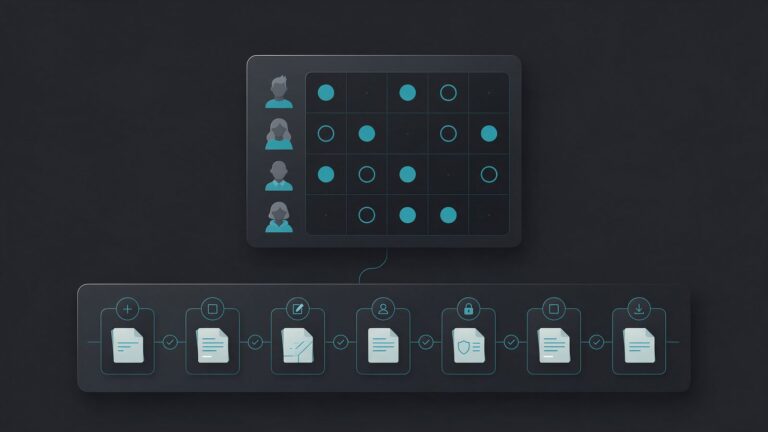
SEO client onboarding has four blocks. In week one, the agency gathers information and access. Then week two is for checking the site and closing the prompt list. Next, week three finishes the collection and builds the diagnosis. Finally, week four brings the feedback meeting and the plan for the following month.
This format isn’t exclusive to GEO. RankAI, which sells SEO software and a done-for-you SEO program, suggests opening with an intake questionnaire of 15 to 20 questions. It covers goals and who approves changes on the client side, and access is a separate request. RankAI also suggests a timeline that runs from signing to the first progress report in weeks three and four. GEO client onboarding adds the collection of AI answers. After all, Google and Bing reports show impressions and citations of the site, not the full answers of the assistants.
| Period | The agency | The client |
|---|---|---|
| Days 1 to 7 | Kick-off, form and access request | Answers and grants access |
| Days 8 to 14 | Technical check, prompt list and start of collection | Approves the list and competitors |
| Days 15 to 21 | End of collection and diagnosis | Answers questions on product and price |
| Days 22 to 30 | Feedback meeting and plan for month 2 | Approves priorities and scope |
This schedule is our own recommendation, and the deadlines apply to the agency’s deliverables, not to citations. When onboarding opens a contract, the GEO proposal template has a similar schedule in its scope. That way, the onboarding checklist and the proposal tell the client the same story.

What information should you ask the client for in onboarding?
In GEO client onboarding, ask the client for six pieces of information: brand spellings, domains, competitors, priority products, recent changes and contacts. That way, the agency builds the prompt list and reads the baseline without guessing. So the form below, our own template and the first item of the onboarding checklist, fits in an email and already sets a reply deadline.
Google gives the same direction for SEO. According to Google Search Central, the professional should ask what makes the business unique, who the competitors are and how customers find it. In SEO client onboarding, each answer has a direct use. For example, the spellings and product names define what counts as a mention. The domains and countries define where to collect, while the competitors, from 3 to 5, enter the share of voice. Recent changes, such as a site migration or a price change, explain swings. Finally, the contacts say whom to ask for each access.
Copy-and-paste block: intake form
INTAKE FORM (GEO)
1. Brand name, acronyms and common spellings:
2. Priority products or services:
3. Domains, countries and languages:
4. Competitors you recognize (3 to 5):
5. Questions buyers ask before they buy
   (sales team and support):
6. Recent changes (site, price, brand):
7. Who grants access, who approves copy
   and who talks to IT:
Reply deadline: [DATE]
Which access should you ask for in GEO client onboarding?
Ask for the lowest access that lets you work: Restricted user in Search Console, the Viewer role in GA4 and the Read only role in Bing Webmaster Tools. However, the CDN, server and CMS only come in if the scope includes changes. Google Search Central also recommends granting only read access to Search Console at the audit stage, not write access.
| Where | To start | What it is for |
|---|---|---|
| Search Console | Restricted user (Full user, to annotate) | AI impressions by page and country |
| GA4 | Viewer | Visits from the AI Assistant channel |
| Bing Webmaster Tools | Read only | Citations in Copilot and AI summaries |
| CDN and server | IT contact, no login | Bot rules and logs |
| CMS | Only if the scope includes publishing | Page changes |
Each row has a reason. For example, Search Console shows impressions in AI features, and GA4 shows visits from assistants. Bing, in turn, shows citations in Copilot. IT comes in because bot rules live in the CDN and the server. For that reason, this onboarding checklist asks for an IT contact, not a password.
How do you request access without stalling onboarding?
First, find out who can grant each access. In Search Console, only an owner can grant permissions, and GA4 requires the Administrator role. Therefore, the first question to the client is who holds those roles today.
Also ask for access for each team member’s Google Account, because Search Console doesn’t accept an email group as a user. That way, the client removes whoever leaves the agency without touching the others.
The levels change what the agency sees. A Restricted user has simple view rights on most data, while a Full user can see all data and take some actions. The generative AI report help page doesn’t say which level sees it, so check on day one. According to Google, the report usually won’t open when the site has few impressions in those features. If that isn’t the case, ask for Full user, which can also add annotations.
In GA4, on the other hand, Viewer is enough to see data and create explorations. But a custom channel group for AI requires the Editor role or above. So without it, use the exploration from the guide to AI traffic in GA4.
In Bing Webmaster Tools, according to the Bing help page, only an administrator adds users. The person must first sign up with a Microsoft, Gmail or Facebook account. The Read only role shows all features and reports but can’t change settings.
The message below is our own template. With it, SEO client onboarding starts with a single request instead of several loose emails.
Copy-and-paste block: access request
Hi, [NAME]! To start the GEO work, we need
the access below, at the lowest permission
level.

1. Search Console: Settings > Users and
   permissions > Add user.
   Email: [AGENCY EMAIL]. Level: Restricted.
2. GA4: Admin > Property access management.
   Role: Viewer.
3. Bing Webmaster Tools: User management,
   role Read only. The agency must sign up
   for the tool first.
4. IT contact for robots.txt and the CDN.

Deadline to grant access: [DATE].
Who owns Search Console?
The care with personal data and how long access lasts, for example, is covered in the contract section of the GEO proposal template.
What technical checks should you run in week one?
In week one, run four checks: robots.txt, CDN blocks, indexing in Google and Bing, and a sample of questions in AI. The steps are in the GEO audit checklist. In this onboarding checklist, though, what matters is recording the starting state before fixing anything.
So check each bot separately. OpenAI says each setting is independent. For example, the site can allow OAI-SearchBot, to appear in search, and block GPTBot, which serves training. To read the file, use the robots.txt template for AI.
If a block must come down right away, note the date of the fix. That’s because OpenAI says search takes about 24 hours to adjust to a robots.txt change. That way, the agency separates the effect of the fix from the normal variation of the collection.
How do you build the client’s prompt list?
Build 40 to 60 prompts in four intent groups: category, problem, comparison and brand. Take the questions from Search Console, the sales team, support and “People also ask”. Then ask the client to approve the list and freeze it for a quarter. The full method is in the guide to how to measure brand visibility in AI.
In GEO client onboarding, the client’s approval has a practical role. For example, the sales team recognizes the real questions, cuts the ones buyers never ask and adds the ones they hear in sales meetings. The “brand” group, with price, complaints and alternatives, checks accuracy and sentiment from the baseline. So the list approval is a required item of the onboarding checklist.
How do you record the baseline of AI answers?
Record the baseline before any change, with prompts, engines, country and language frozen. The measurement guide’s protocol uses 50 prompts, 5 runs per engine and 4 engines, which is about 1,000 answers.
With fewer answers, though, state the margin of error. With 250 answers (50 prompts, 5 runs, 1 engine), it ranges from ± 6 to ± 14 points. At 1,000, it ranges from ± 3 to ± 7.
For that reason, tell the client which collection the agency ran. Each spreadsheet row stores the date, engine, prompt, run, brand named, site cited, competitors and the full answer. This record is the core of the onboarding checklist, because every later report compares against it.
What client data should you export before changing the site?
Export the Search Console, GA4 and Bing history before the first change, because Search Console and GA4 keep data for a limited time. Do it in the first two weeks, together with the collection of answers, as an item of the onboarding checklist.
In Search Console, Google suggests looking at 16 months of performance and, to keep data longer, pulling it through the Search Analytics API. Also, the generative AI performance report reached all sites on August 31, 2026 and shows impressions. Then create an annotation with the date the work starts. The help page gives launching a feature and fixing a bug as examples, and the note accepts up to 120 characters. Marking the start of the agency’s work follows the same logic, but it’s our suggestion. Avoid personal data in the note, because other users of the property can see it. The owner and the Full user add annotations, but the Restricted user can only view them.
In GA4, note the visits from the AI Assistant channel, which excludes Google’s AI Overviews and AI Mode. Also ask the client to check the data retention. In explorations, it is 2 or 14 months, and large properties are limited to 2. When you extend the period, the change applies to data already collected. So ask for 14 months on day one.
In Bing, finally, record the AI Performance panel, launched as a public preview in February 2026. It shows citations in Copilot, in Bing’s AI summaries and in select partners.
What should you deliver to the client at the end of onboarding?
End GEO client onboarding with a baseline report and a plan for the following month. This delivery closes the onboarding checklist. The report shows presence, citation, recommendation and share of voice by engine, with the margin of error. The plan, in turn, lists the technical fixes and the sources to work on, in priority order.
Also say what the report doesn’t prove. After all, the baseline shows the starting point, not improvement. With about 1,000 answers a month, treat only a change above 4 to 10 points as real, confirmed the next month. To build the tables, use the blocks from the measurement guide.
If the client hasn’t signed yet, the guide on how to sell GEO services takes this diagnosis to the first meeting. The price of the following month comes from how much to charge for GEO. For the big picture of the service, see the guide to GEO for agencies. That way, SEO client onboarding ends with a clear request to continue.
Frequently asked questions
Only a little. An SEO client already has Search Console and GA4, so the agency only needs to ask for the right access to each. What’s missing is the prompt list, the baseline of AI answers and the check of AI bots. Those are the three new items of onboarding.
The agency can start the baseline of answers, which depends only on the approved prompt list. Without Search Console and GA4, though, the AI impressions and visits are missing. So record the access deadline in the scope, as the GEO proposal template shows.
They show the starting point, not improvement. With about 1,000 answers a month, only a change above 4 to 10 points, confirmed the next month, counts as real. For that reason, the day-30 feedback meeting presents the baseline and the plan, without promising citations.
Main sources
- Google Search Console, managing owners, users, and permissions (2026).
- Google Analytics, data-access management (2026).
- Google Search Central, do you need an SEO? (2026).
- Google Search Console, Search Console annotations (2026).
- Google Analytics, data retention (2026).
- OpenAI, overview of OpenAI crawlers (2026).
- Bing Webmaster Tools, how to add users to your site account.
- RankAI, SEO onboarding checklist for new clients (2026).