Reading time: 9 minutes
An AI browser, such as Comet from Perplexity or Chrome with Gemini from Google, is a regular browser with a built-in assistant. The assistant reads the open page and, in some cases, acts on it. So for your site, the visit tends to arrive like any browser visit. ChatGPT Atlas, however, has shut down.
In short
- Comet, from Perplexity, is free. Gemini in Chrome, from Google, lists Brazil among its regions, but agent tasks are limited to the US.
- OpenAI retired ChatGPT Atlas and moved agent browsing to the ChatGPT desktop app and browser extension.
- In the official pages we read, none of these browsers describes its own user agent. So the visit tends to look like a person’s.
- Your site needs visible text, clear buttons and UTMs on your own links. After all, Google and Microsoft say the person takes over sensitive steps.
What is an AI browser?
An AI browser is a browser with a built-in assistant. The assistant reads the text of the open page and answers questions about it. In newer versions, it also clicks and fills in forms. So it differs from an AI chat, which only answers, and from a search robot, which only collects pages.
In practice, the assistant works on three levels. First, it summarizes and explains the current tab. Then it combines several tabs to answer. Finally, it acts: it opens sites, compares products and fills in fields.
The person decides what the assistant does, not the site. So an AI browser changes the shop window less and the path to it more.
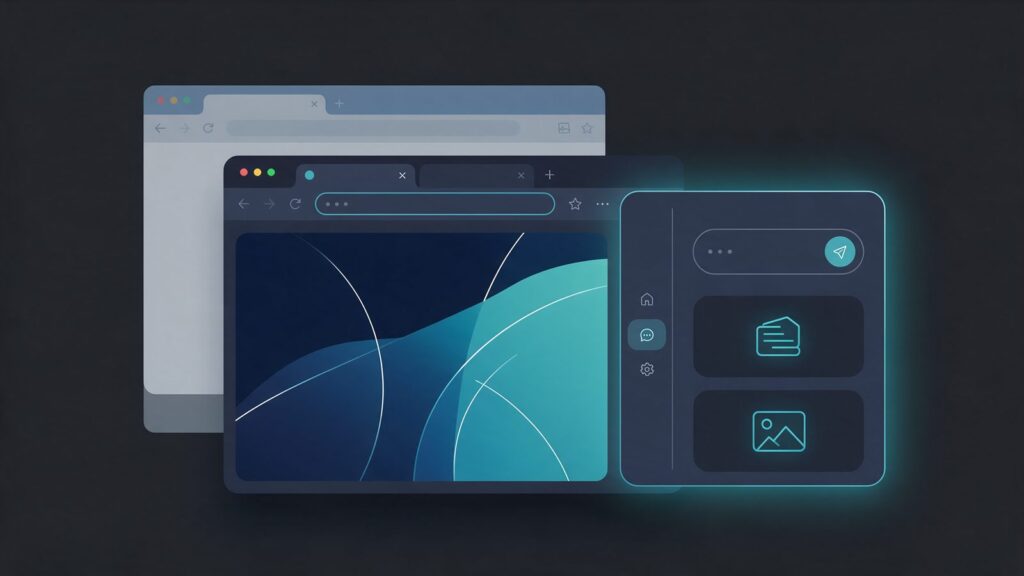
Which AI browsers exist in Brazil, and how do Comet and Gemini in Chrome compare?
The main ones are Comet from Perplexity, Gemini in Chrome from Google and Copilot in Edge from Microsoft. In addition, OpenAI replaced Atlas with a desktop app and an extension. The table shows what each one does and where it is available.
| Browser | What it does | Availability |
|---|---|---|
| Comet (Perplexity) | Own browser with an assistant that reads and acts on pages | Free; Windows, Mac, iOS and Android |
| Gemini in Chrome (Google) | Panel that answers about the tab; agent tasks | Brazil on the list; tasks only in the US |
| Copilot in Edge (Microsoft) | Panel that reads the page; Browse with Copilot acts on it | Browse with Copilot: US |
| ChatGPT (OpenAI) | Desktop app with a built-in browser and an extension, in place of Atlas | App: macOS and Windows; extension: Chrome, Edge, Brave, Opera and Vivaldi |
| Dia (The Browser Company) | Work browser that links tabs and apps | Mac and Windows |
The AI browser from Perplexity is a full browser based on Chromium, the same base project as Chrome and Edge. Perplexity released Comet to the world for free. Then the iOS version, in March 2026, completed the list of platforms: iOS, Android, Mac and Windows.
The AI browser from Google is Chrome itself. According to the Chrome Help, Brazil is on the list of regions for users 18 or older. Portuguese is among the accepted languages. You need to sign in to Chrome, use Windows, Mac or a Chromebook Plus, and turn the feature on. However, the rollout is gradual, so it may not show up for you yet.
Gemini in Chrome or Comet: what is the difference?
Comet requires switching browsers, but the assistant is the core of the product. Gemini, in turn, lives inside the Chrome you already use, with your Google account. Agent tasks, however, follow another rule. Google’s auto browse page requires age 18, the US, English as the device language and a Google AI Pro or Ultra plan. Dia, for its part, appears on its official site for Mac and Windows, without naming Brazil.
Was ChatGPT Atlas discontinued? What replaced it?
Yes. According to its Help Center, OpenAI says ChatGPT Atlas has been retired and no longer receives updates. The notice first appeared in the release notes of July 9, 2026, with the shutdown set for August 9.
In its place, the company points to the ChatGPT desktop app, with a built-in browser, and the ChatGPT extension for Chrome. The extension now also works in Edge, Brave, Opera and Vivaldi. The app is available globally for macOS and Windows, but Work, on web and mobile, is not on the Free and Go plans. The guide on how ChatGPT works explains Work. The guide on ChatGPT agent mode shows how the agent researches, compares and buys.
The end of Atlas does not change the math for your site, since it was one browser among many. Agent browsing continues in the app and the extension. In addition, the AI browser from Google and the AI browser from Perplexity are still around. So it is worth preparing your site.
Can an AI browser agent fill in forms and buy on my site?
It can browse and fill in forms, but, according to Google and Microsoft, the person takes over sensitive steps, such as payment. So, in our reading, the simpler your store’s flow, the better the chance the agent reaches the end.
In its documentation, the AI browser from Google compares products and adds items to the cart. However, it may ask the person to confirm sensitive steps, such as finalizing a financial transaction, and to take over what only they can do. Browse with Copilot, in Edge, clicks, types and navigates tabs. If a task needs personal or payment details, Copilot asks for them, according to Microsoft. Then the person can take over the tab and type.
For the AI browser from Perplexity, the help says the assistant acts on sites and that Comet never accesses passwords or payment data. In the pages we read, however, we did not find a public confirmation rule for purchases. In Brazil, the full tasks of Gemini and Copilot are out for now. Comet, on those pages, shows no country restriction.
For the catalog and checkout of Brazilian stores, see the guide on GEO for ecommerce.
How does an AI browser identify itself to the site?
Like a regular browser, as far as the documentation shows. Comet uses Chromium, and Gemini in Chrome and Copilot in Edge run in the person’s own browser. So, in the official pages we read, none of them describes its own user agent or a signature that the site can filter.
The crawler documentation from Perplexity lists PerplexityBot and Perplexity-User, but it does not mention any AI browser. In addition, the visit arrives with the person’s login. In agent tasks, Google says its AI browser, on the computer, reaches the same sites you do, including signed-in ones. Likewise, Browse with Copilot, in Edge, enters sites where the person is already signed in.
The exception is agents hosted in the cloud. Google lists Google-Agent, on its page of user-triggered fetchers, as the user agent of agents hosted on its infrastructure. No page we read links it to the remote browser of Gemini. ChatGPT’s cloud browser, in turn, signs its requests. So filter only what is documented, because the rest blends in with regular browsers. The guide on AI crawler server logs shows how to filter what is declared.
How does an AI browser visit show up in GA4?
It tends to show up as a regular visit, in our reading. In those cases, the browser loads the page, the GA4 tag runs and the session enters the report. When the AI browser from Google only summarizes a tab you already opened, the visit was already counted. After all, the Chrome Help says it uses the content of the current tab.
However, there are two caveats. First, GA4 automatically excludes known bots, based on the IAB list and Google research. A regular browser, used by a signed-in person, is not a bot on that list, in our reading. Second, the source depends on what the browser sends. In other words, without a clear referral source, the visit falls into Direct.
We found no study with a published method that measures this by browser. So test it yourself. Ask the assistant of the AI browser from Perplexity to open one of your pages with a test UTM, and watch GA4 Realtime. The AI Assistant channel and the regex to build your own are in the guide on AI traffic in GA4.
What does your site need to receive these visits?
It needs the basics done well: visible text, clear buttons and your own measurement. After all, Comet, Gemini in Chrome and Copilot in Edge read the page the way a person does. So these five fixes cover what the documentation shows.
- Visible text: keep price, stock, delivery time and terms written on the page. Comet’s assistant extracts the visible text, headlines and metadata with each request, according to the Comet help.
- Clear buttons and fields: label every field and give every button text. A pop-up over the button blocks both the person and the agent, in our reading.
- Short checkout: do not require an account just to see the price, and make payment easy for the person to take over.
- Your own measurement: use UTMs on the links you control, conversion events and server logs.
- WebMCP on the radar: in its release notes, OpenAI already uses tools that a site offers through WebMCP in the app’s browser. So teams with developers can follow it.
In our reading, robots.txt does not decide access for these browsers, because they act like the person. It guides robots that respect it, but user-triggered ones, such as Perplexity-User, usually ignore it, as the guide on robots.txt for AI shows. The fixes for buttons, forms and structured data are in the guide on SEO for AI agents. The big picture of agents that buy is in the guide on agentic commerce.
Main sources
- OpenAI, ChatGPT Atlas retirement (2026).
- OpenAI, ChatGPT release notes (2026).
- Perplexity, Comet iOS launch and platforms (2026).
- Google Search Central, user-triggered fetchers and Google-Agent (2026).
- Google Chrome, Gemini in Chrome availability (2026).
- Google Chrome, tasks with auto browse (2026).
- Microsoft, Browse with Copilot in Edge (2026).
- Google Analytics, known bot-traffic exclusion (2026).